
The Strum Fix Plus 5 DUO Strum Direction Jumpers
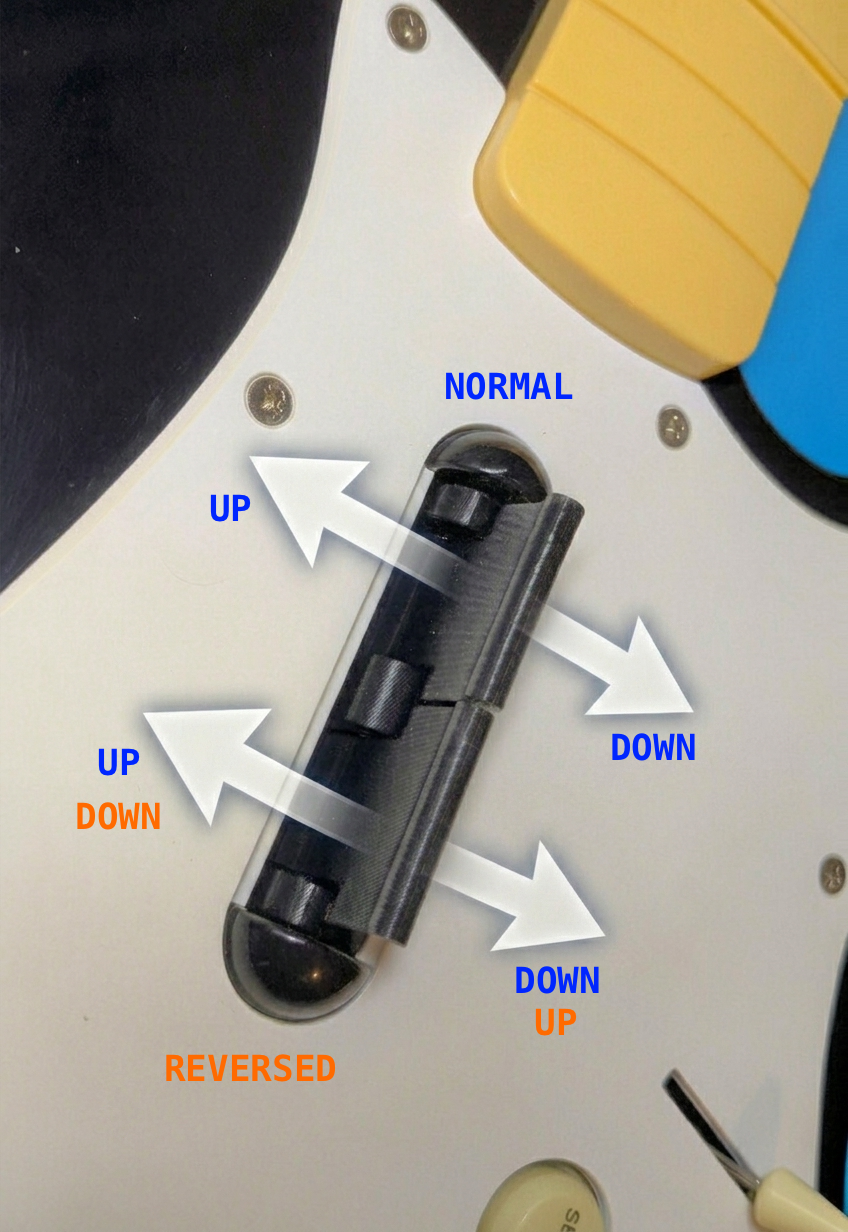
SFP5 DUO Strum Activation Directions
The Strum Fix Plus 5 DUO can be configured so that the two strum bars either activate the same way when strummed up and down, or can be reversed such that one strum bar will activate as a “down” when strummed down, while the other will activate as an “up” when strummed down (and vise versa), as shown in the picture to the left.
The activation directions are configured by jumper settings on the PCB. The default configuration of any DUOs shipped since June 20, 2025 is the “REVERSED” configuration. Most users find this configuration makes “alt-strumming” easier when playing bass.
Strum Activation Direction Jumpers
There are 4 jumpers on the PCB that are used to set the activation directions. These are “solder bridge” jumpers, meaning that they use solder pads on the PCB which are deliberately shorted together with a blob of solder to connect the pads together. To change a jumper you have to use a soldering iron to melt and remove the existing blob and then add new solder and short together two of the pads.
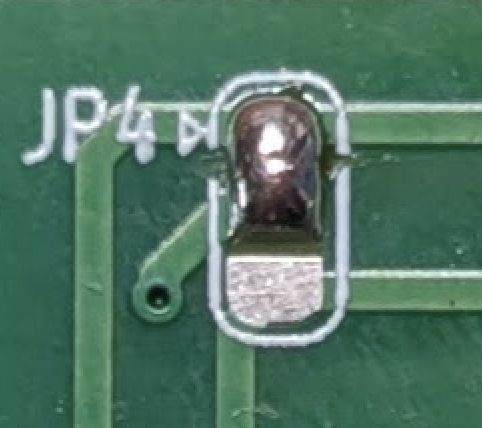
Solder Bridge Jumper
This image shows how to use solder to make a “bridge” connection between two of the pads on the jumper. You should only ever connect two of the three pads together (don’t allow solder to bridge across all three pads).
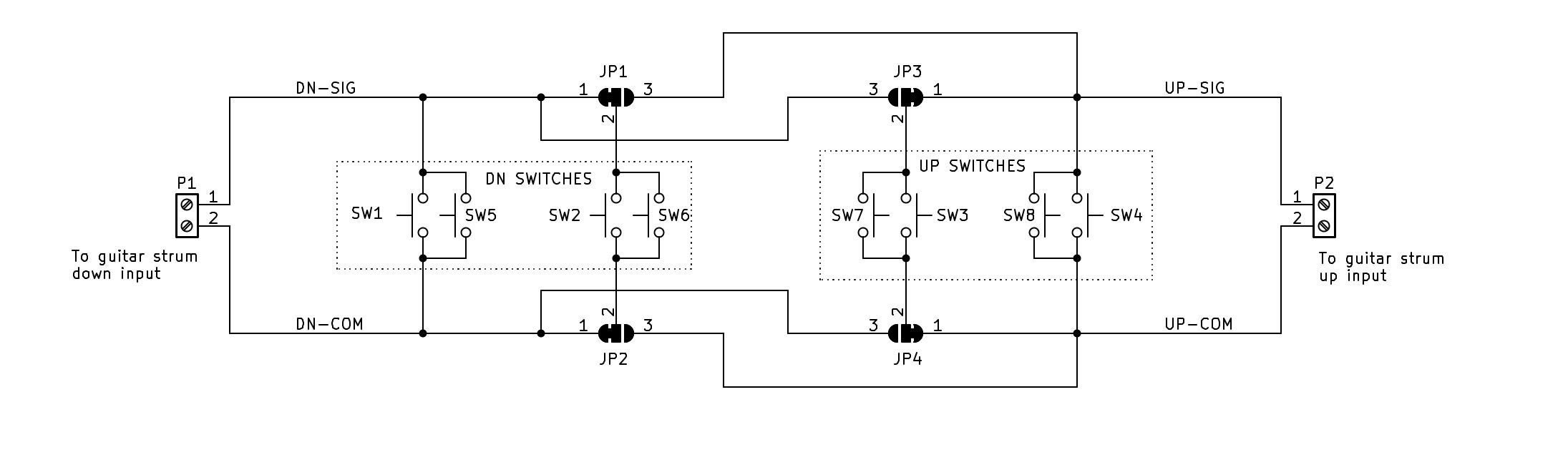
Schematic
Schematic for the SFP5 DUO PCB. Note that it shows 8 switches, but only 4 are loaded at a time. Switches SW1-SW4 are low-profile, medium-travel keyboard switches (this is the default option), while switches SW5-SW8 are short-travel, tactile switches for the short-travel option.
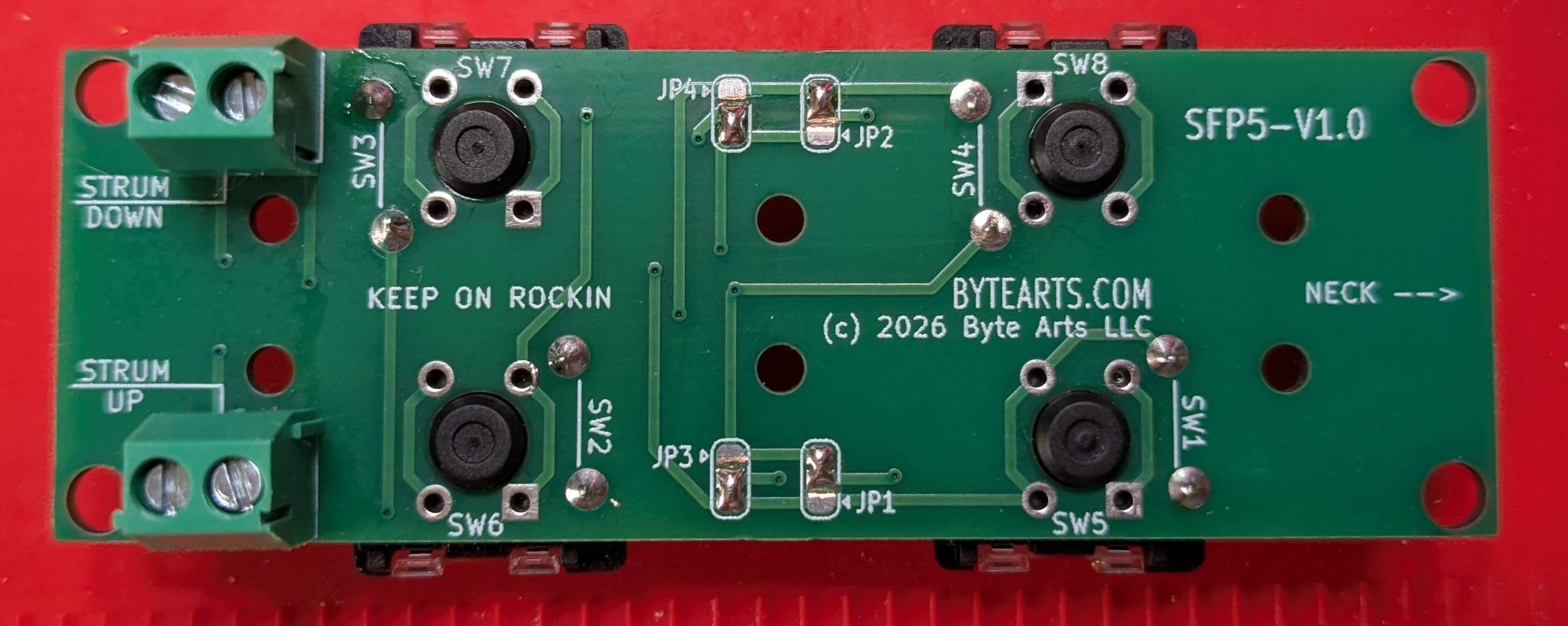
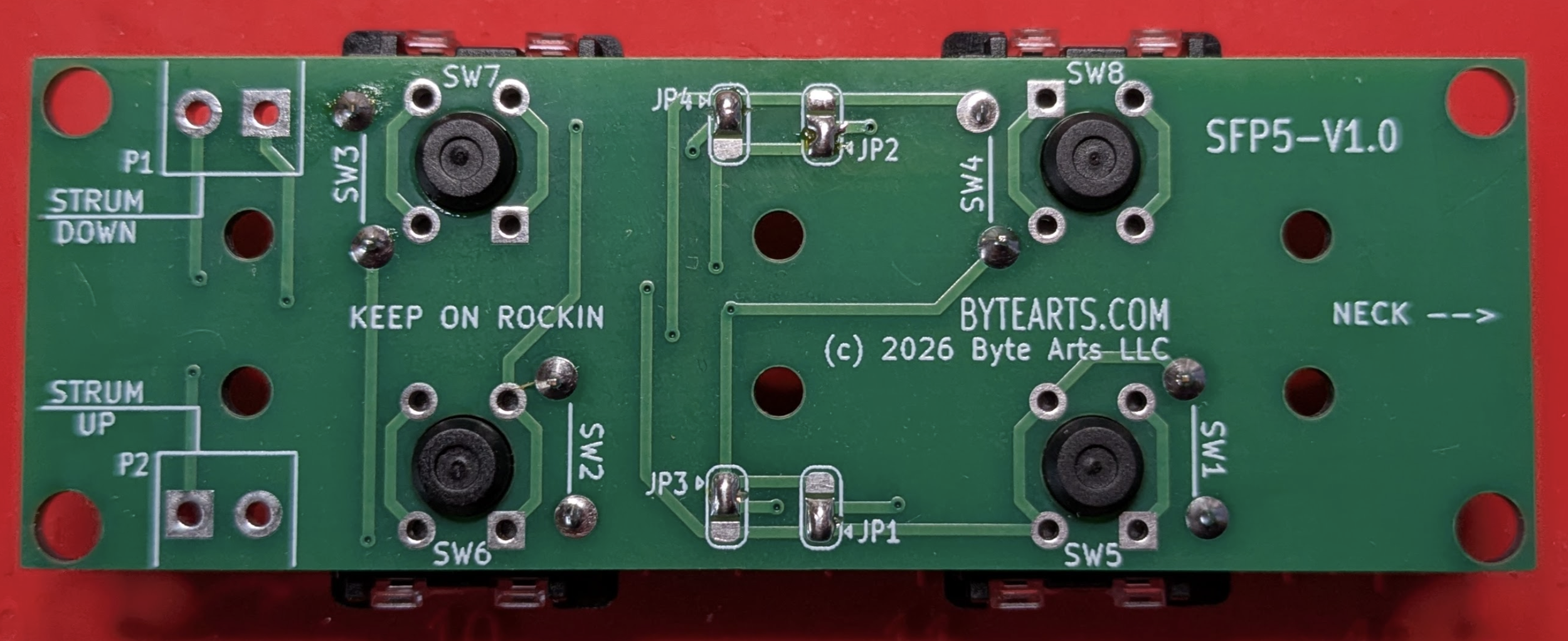
Jumpers for REVERSED configuration
This picture shows the jumpers JP1-JP4 in their default configuration, for “reversed” action.
Jumpers for NORMAL configuration
This picture shows the jumpers JP1-JP4 configured for “normal” action.